How to Create a Git Repository with cPanel
Step 1 : Login to cPanel account
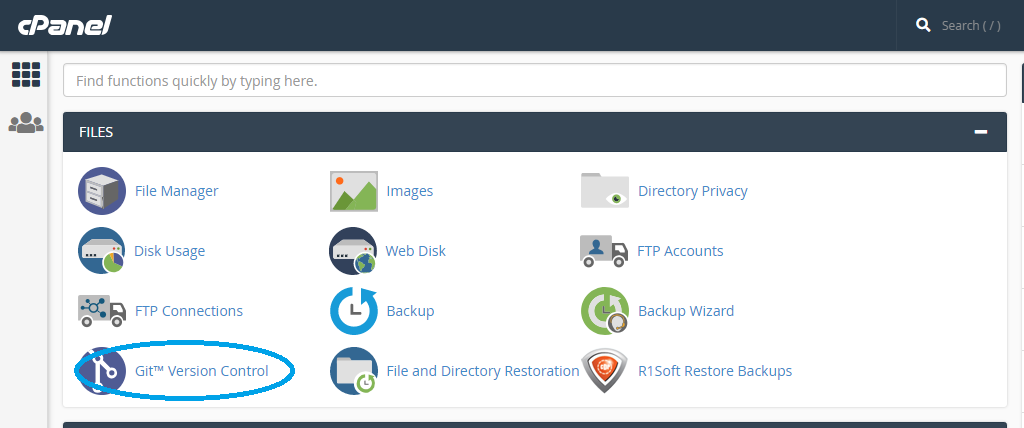
Step 2 : Select Git Version Control under Files section
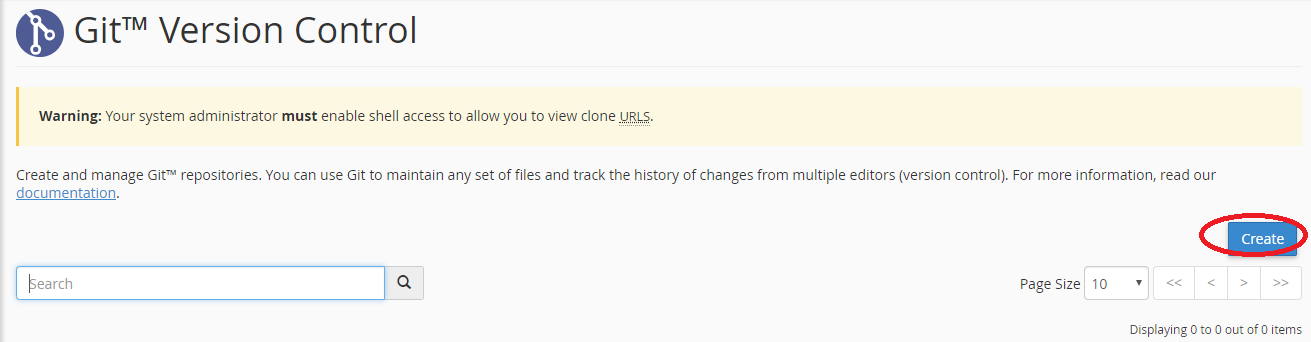
Step 3 : Click Create (if you haven't created any repositories yet, you'll be skipped ahead to the next step automatically)
Step 4 : Toggle off the Clone a Repository button (if you don't want to duplicate the repository)
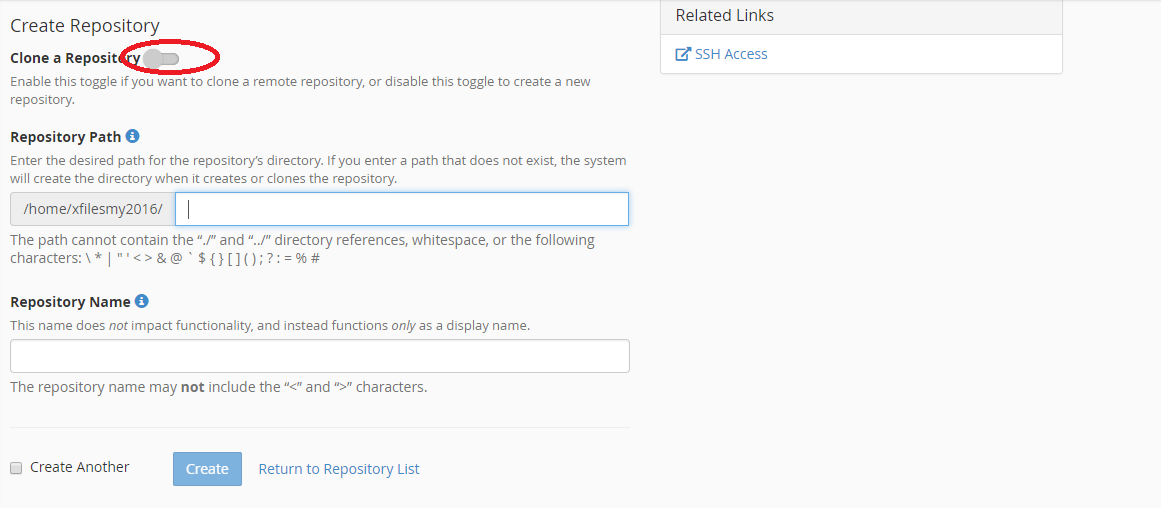
Step 5 : Fill in the path to the new repository
Step 6 : Provide a name for the repository as it will appear in your cPanel interface
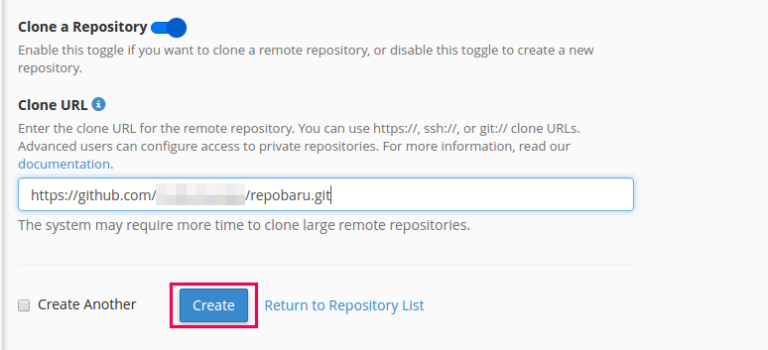
Step 7 : Click Create
New repository is created successfully.
How to manage and change repository
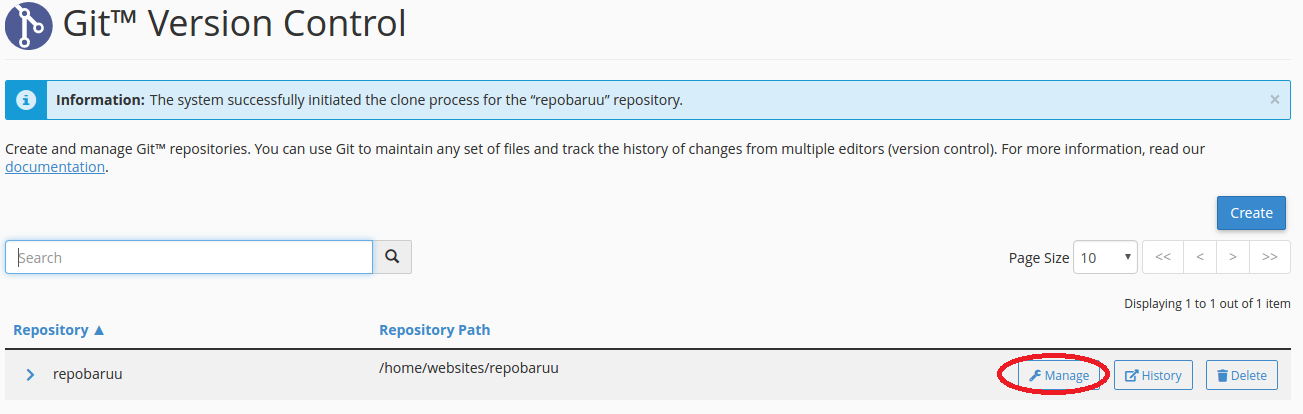
Step 1 : When the repository is created, you can manage the repository by select Manage as below.
You also can delete your repository by click Delete and you will be ask for the confirmation in order to delete the repository
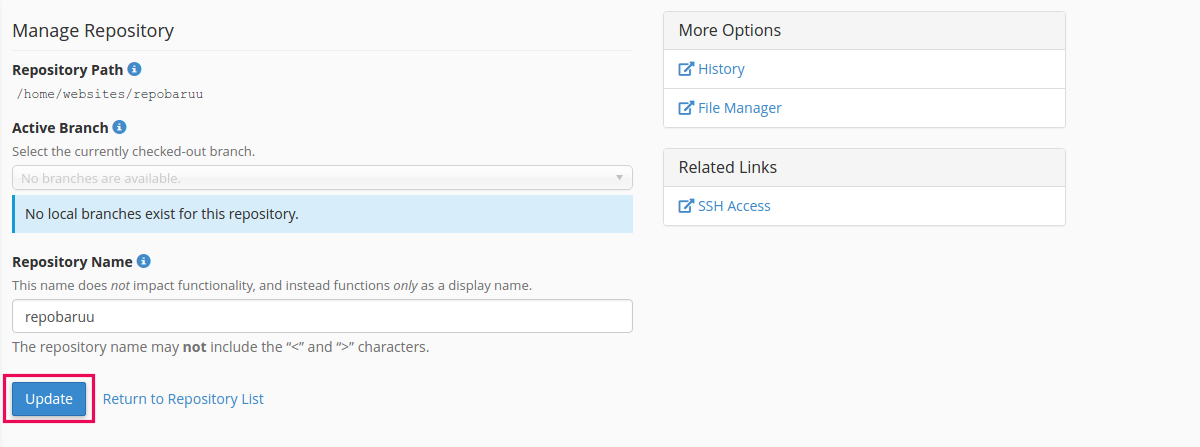
Step 2 : If you want to change your repository name you can change it in the Repository Name
You can see the log for the activities that you have been done by click on History
